August 18, 2026


Plans can change quickly. A concert moves to a work night, a friend drops out, or a show lands on a date you can no longer make. If the event is only days—or hours—away, you need more than a place to post the ticket. You need a marketplace where an eligible ticket can reach local fans, transfer safely, and sell without an unexpected seller fee.
For an eligible New York City concert ticket, Theatr is built for this exact situation. Sellers can list at or below the amount originally paid, keep 100% of the asking price, and choose from several delivery methods—including Instant E-Ticket Transfer for supported digital tickets.
This guide explains how to check your ticket, create a Theatr listing step by step, transfer it to the buyer, and collect your earnings.
Yes. Concert ticket resale is permitted in New York, and sellers have several options. The important part is choosing a trustworthy platform that makes the transaction straightforward and helps your tickets reach a real fan.
When it comes to reselling, you have a few options:
So, why choose Theatr over these other options? Let’s break it down.
For eligible New York City live-event tickets, Theatr app offers a straightforward alternative:
Selling on Theatr is easy. The process has three main stages: list your tickets, transfer them, and get paid. Here is the complete walkthrough.
Selling tickets on Theatr is designed to be quick and easy. In the mobile app, tap Sell, then Create listing. Desktop sellers can start on Theatr’s Sell Tickets page. Upload your receipt, let Theatr’s AI scan and fill in the details, review the results, and publish—without typing every field yourself.
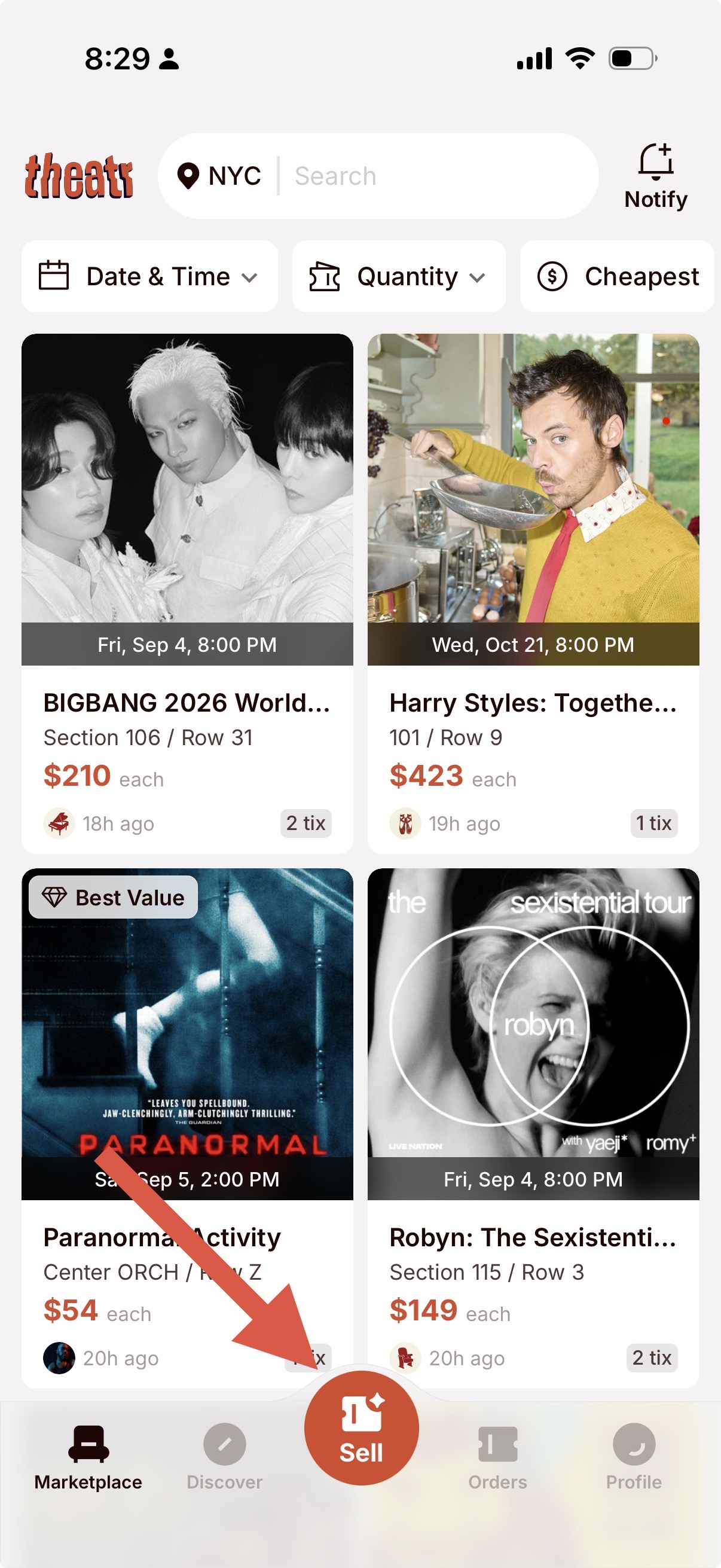
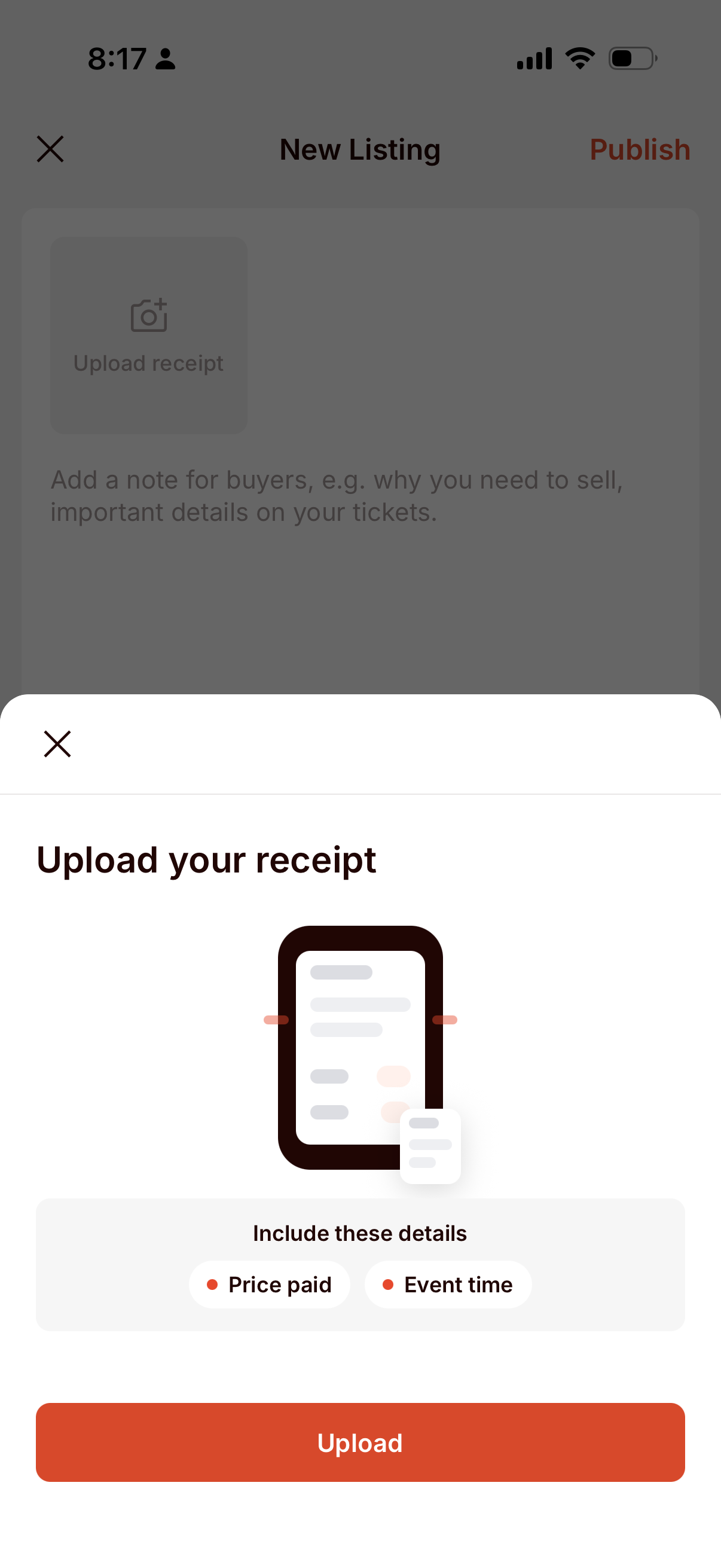
The fastest way to create a ticket listing is to start with your proof of purchase. Tap Upload receipt, then take a photo or choose up to six images from your photo library.
For the best results, make sure the receipt shows:
The receipt will also be visible on your listing. Before uploading, use Theatr’s simple editing tools to hide ticket barcodes, QR codes, payment information, addresses, and unrelated personal details. Keep the show information and price paid visible so Theatr can verify the listing.
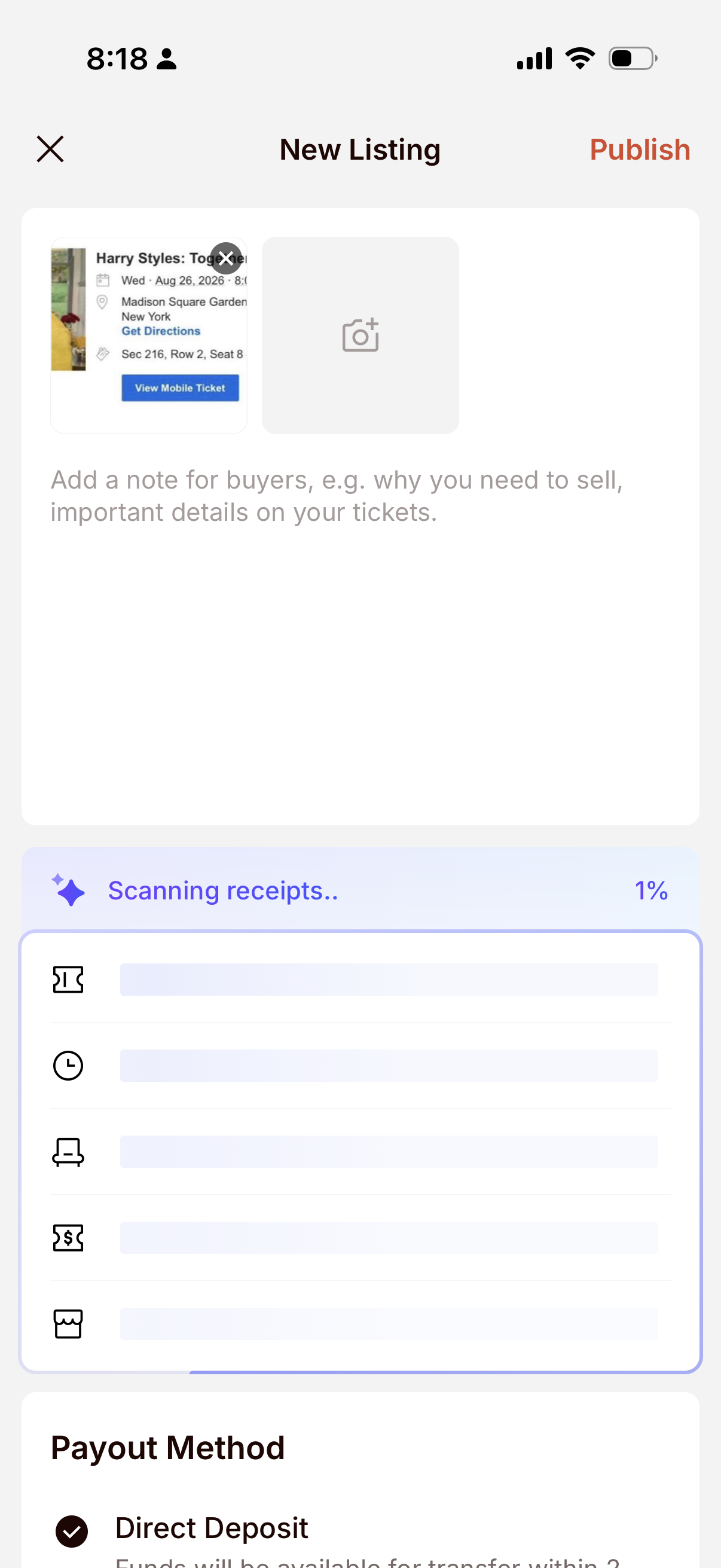
Once you upload your first receipt, Theatr automatically scans it and starts building your listing.
The AI can fill in details such as:
This turns your receipt into a ready-to-review listing draft, saving you from entering every detail manually.
The AI-assisted flow handles much of the setup, so your main job is to review the results and add any additional note to your buyer.
Double-check the:
Add a short buyer note only when the ticket has important restrictions or benefits, such as:
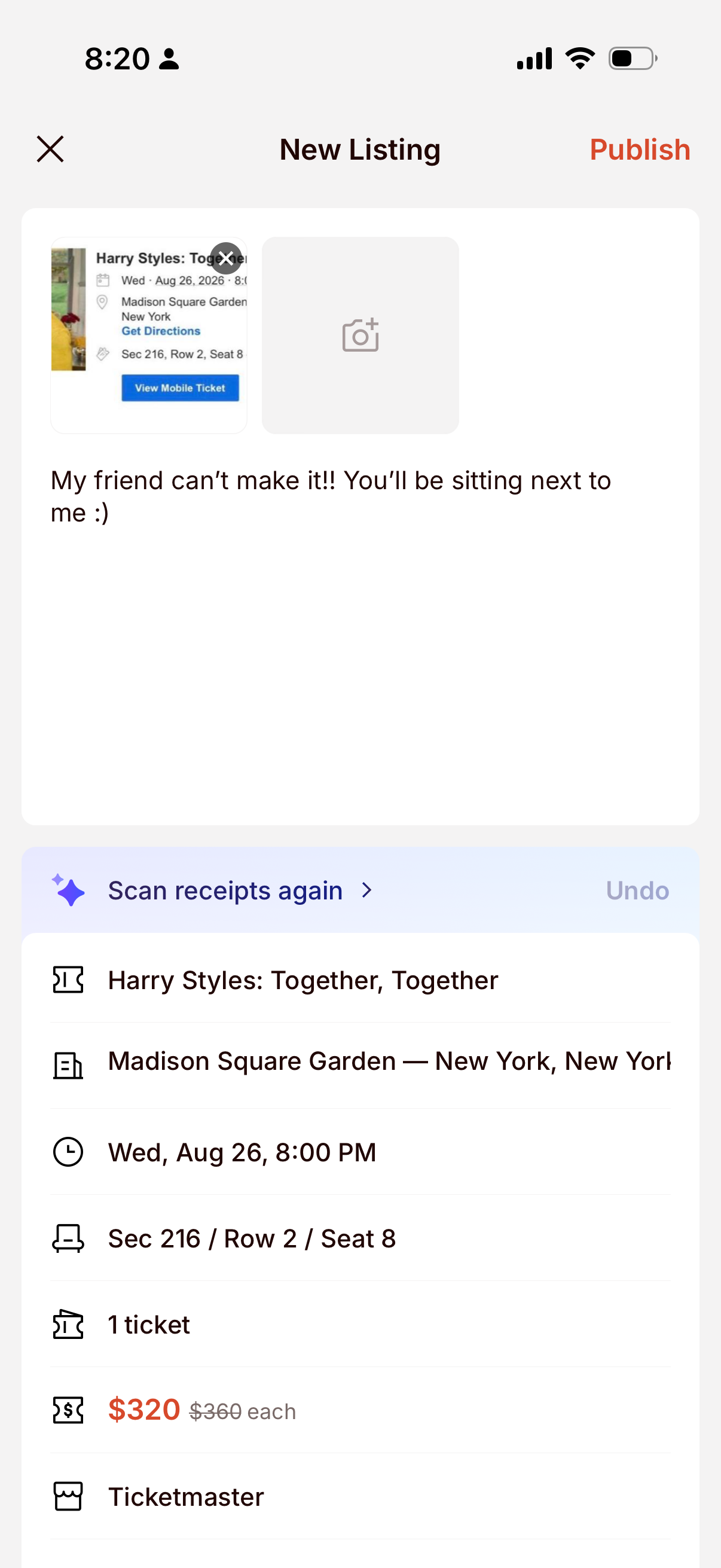
Theatr may ask you to verify your email address or phone number. Some listings publish immediately, while others may receive a brief review.
After publishing, you can manage everything under Orders → Sell.
Theatr notifies you when someone buys your tickets. Open Orders → Sell, select the listing, and review the buyer information and promised delivery method.
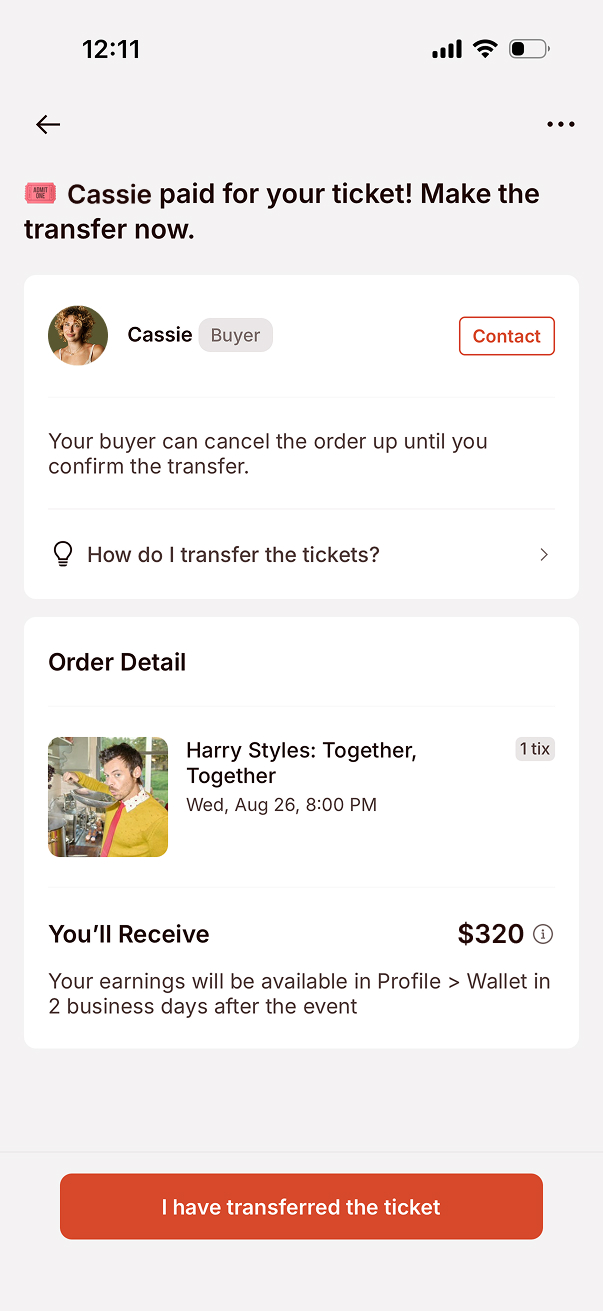
Theatr delivers the uploaded ticket automatically after purchase. You do not need to send it again or manually mark it as transferred.
Follow these steps:
Return to Theatr only after the buyer has access. Tap I have transferred the ticket(s) and upload acceptable proof, such as the original provider’s confirmation or a screenshot showing that the buyer accepted the transfer.
Send or hand over every ticket included in the order, then save evidence that delivery was completed. Do not expose unrelated personal information in the proof you upload to Theatr.
Only mark the order transferred after the buyer has access to the ticket.
If the organizer has delayed ticket release:
Do not use delayed delivery simply because you are unavailable. Use it only when the ticket genuinely has not been released or an agreed handoff must happen later.
You can review the current delivery flow in Theatr’s ticket-transfer instructions.
Earnings are released to your Theatr Wallet about two business days after the event.
You keep 100% of the asking price. To move the money to your bank account or debit card:
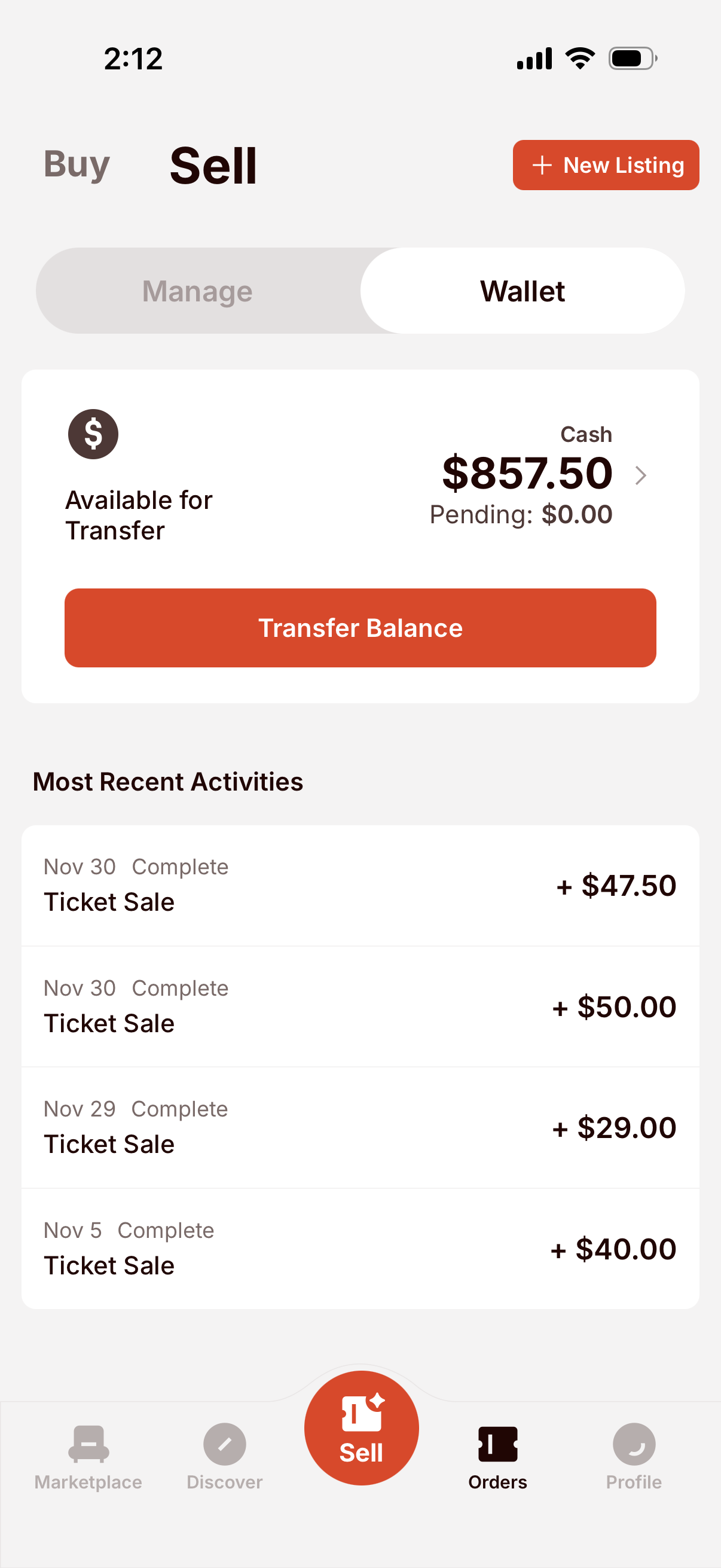
Theatr currently supports payouts to eligible U.S. bank accounts through Stripe. See Theatr’s current seller payout guide for more info.
Theatr is designed for last-minute discovery, but the quality and price of the listing still matter.
Publishing earlier gives buyers time to ask questions and accept a manual transfer. Waiting until the last hour also leaves less time to correct a listing or resolve a provider restriction.
Buyers compare your total price with primary inventory and similar resale tickets. If seats remain available from the venue, pricing below that current checkout total can make your listing more competitive.
Show the original price, date, and time clearly while keeping the barcode and personal details covered. A confusing or incomplete proof may delay approval or reduce buyer confidence.
Theatr’s Make Offer feature lets buyers submit a lower price. You can accept, decline, or counter from Orders → Sell. Offers do not reserve the ticket; another buyer can still purchase it while an offer is pending.